


PDU Reporting
Easy steps to report PDU credits on the PMI website:
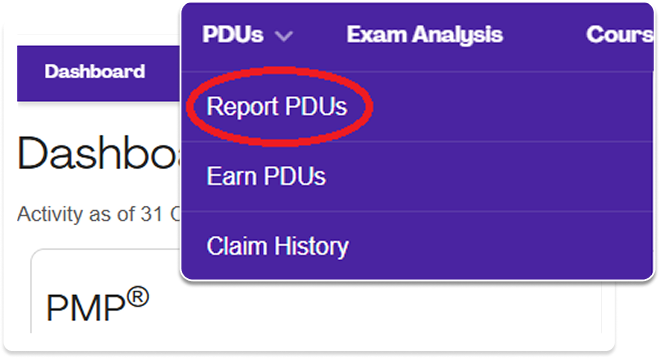
Login at pmi.org, go to your Dashboard < ccrs.pmi.org/dashboard/index>, go to the PDU menu, and click “Report PDUs”
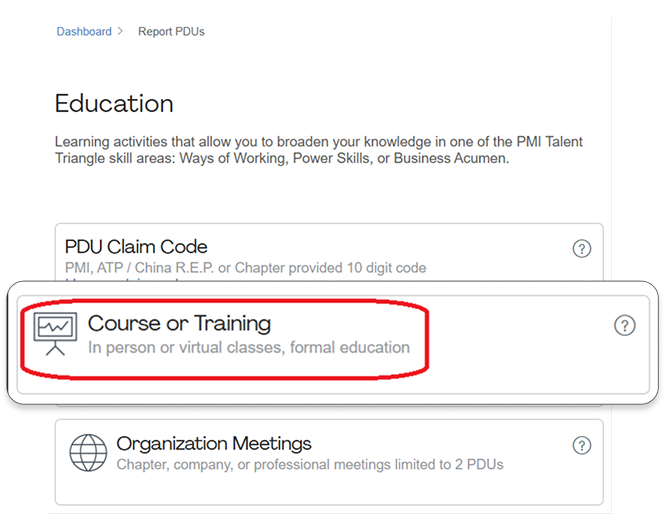
Click on “Course or Training”
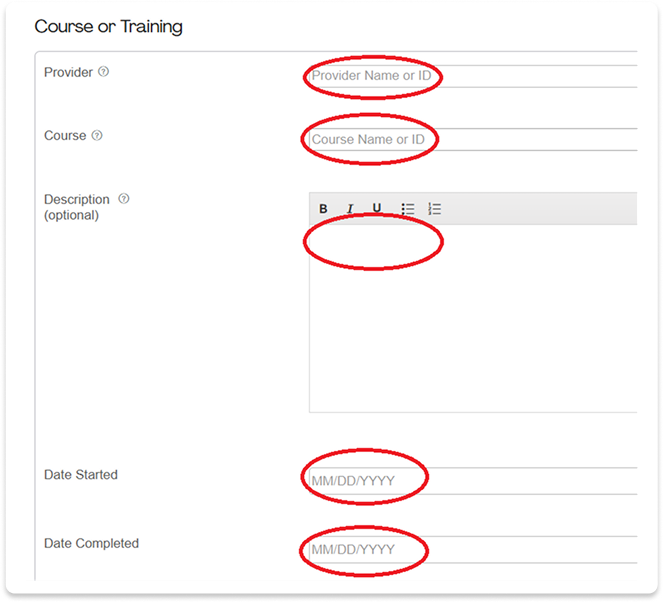
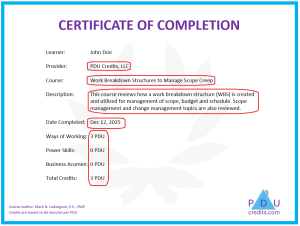
Copy-paste the provider, course, description, and date from the “certificate of completion” pdf issued by pducredits.com (other optional fields can be left blank)
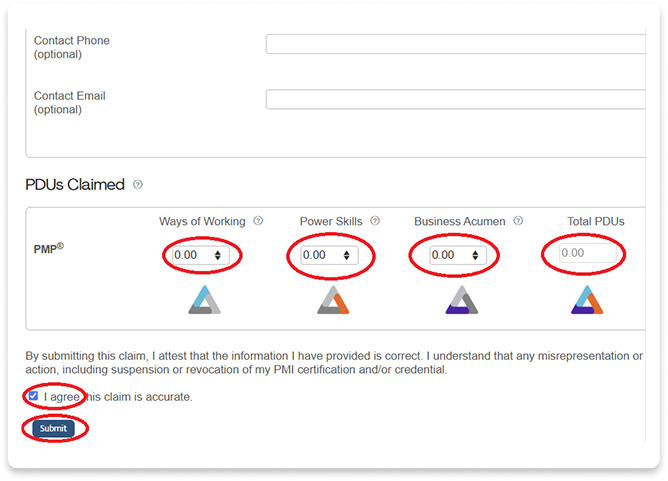
Enter the PDU values listed on the Certificate for “Ways of Working”, “Power Skills”, “Business Acumen”, and “Total PDUs”. Check “I agree” and click “Submit”
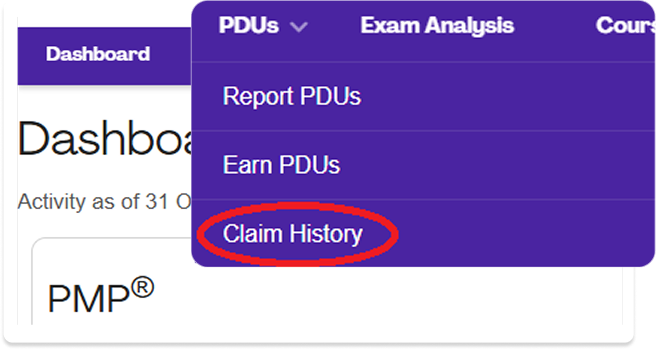
To confirm PDU claims have been approved, go to the “PDUs” menu and click “Claim History”
Example certificate of completion with information to copy circled in red.
For more renewal information, PMI offers a Continuing Certification Requirements (CCR) Handbook with details on PDU requirements, at this site: